The about tab
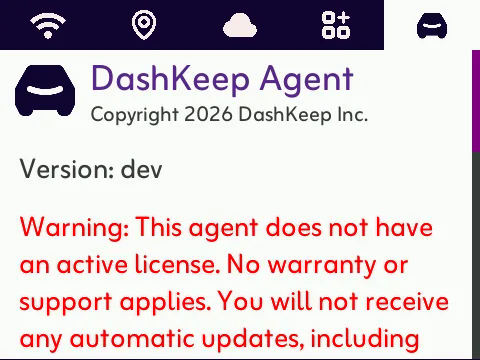
The about tab covers the legal and version details. It shows the agent’s version, the copyright, the GNU Affero General Public License, and map data credits. If the camera has no active subscription, a red warning appears. It shows that updates are on hold until the camera has a licence. Security updates wait too.
Reading the log
Section titled “Reading the log”The about tab hides the camera’s log. Double-press the LOCK button while on the About tab to open it. A short log appears directly on the screen. When the log is long, the camera copies it to the card as a dk file, like dk20260919175951.log, with the name shown on screen. You can find it when the card is in your computer. See Exporting logs for the full walkthrough.